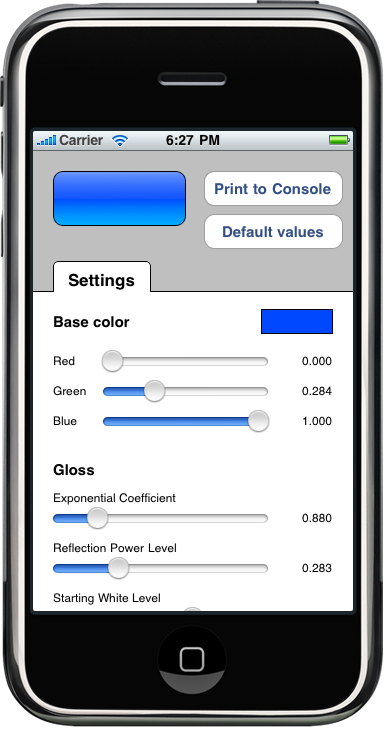
In September 2008, Matt Gallagher published Drawing gloss gradients in CoreGraphics, a very nice piece of code that will draw a ‘gloss’ gradient in a single statement. All colors in the gradient are calculated from the single color parameter.
Roy Ratcliffe later complemented Matt’s article with a generalized Objective-C class called RRGlossCausticShader that exposes a number of parameters to modify the gloss effect to your liking. Roy’s code also includes a nice OS X sample application that helps visualizing the effects of parameter changes on the final result. Unfortunately, neither Matt’s original version nor Roy’s refactoring work on the iPhone out of the box, mainly because they rely on NSColor, which is only available on the Mac platform. I recently ported Roy’s code to the iPhone and also wrote a little iPhone sample app for it. Porting was fairly easy:
- Use conditional compilation (
#if TARGET_OS_IPHONE) to substitute UIColor for NSColor. - Add some functionality that NSColor has but UIColor lacks, namely getting individual color component values and converting colors between RGB and HSB.
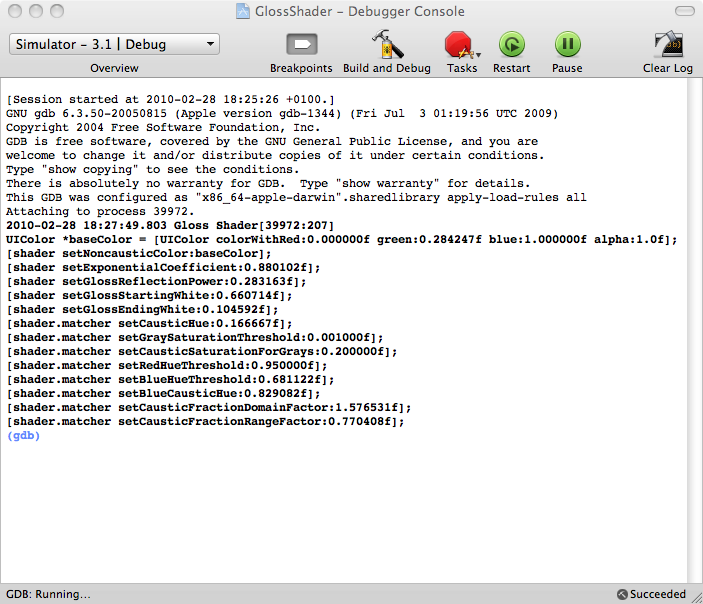
For the iPhone sample app, I wanted to do a little more than just copy the existing OS X app, so I added a button to print the shader’s current settings to the debugger console. That way, you can play with the sliders until you find a shading you like and then just copy and paste the code from the console to your project to configure the shader with the correct settings. The app will also save the current settings to the user defaults on exit.
Here are a few example shadings that can be created with RRGlossCausticShader:

Updates:
March 5, 2010: Message from Roy:
Excellent work Ole! I’ve merged your enhancements as requested, albeit with a few more enhancements. Makes you wonder: where should it go from here?
April 14, 2010: Message from tato123:
I had to make a change for iPad SDK 3.2+, for some reason the gradient appeared yellowish at the bottom section. I adjusted the following, in RRGlossCausticShader.m
From:
void RRGlossCausticShaderEvaluate
…
CGFloat f = RRExponentialFunctionEvaluate(&INFO(exponentialFunction), 2*(x – 0.5f));
…
To:
void RRGlossCausticShaderEvaluate
…
CGFloat f = RRExponentialFunctionEvaluate(&INFO(exponentialFunction), 0.7*(x – 0.5f));
…